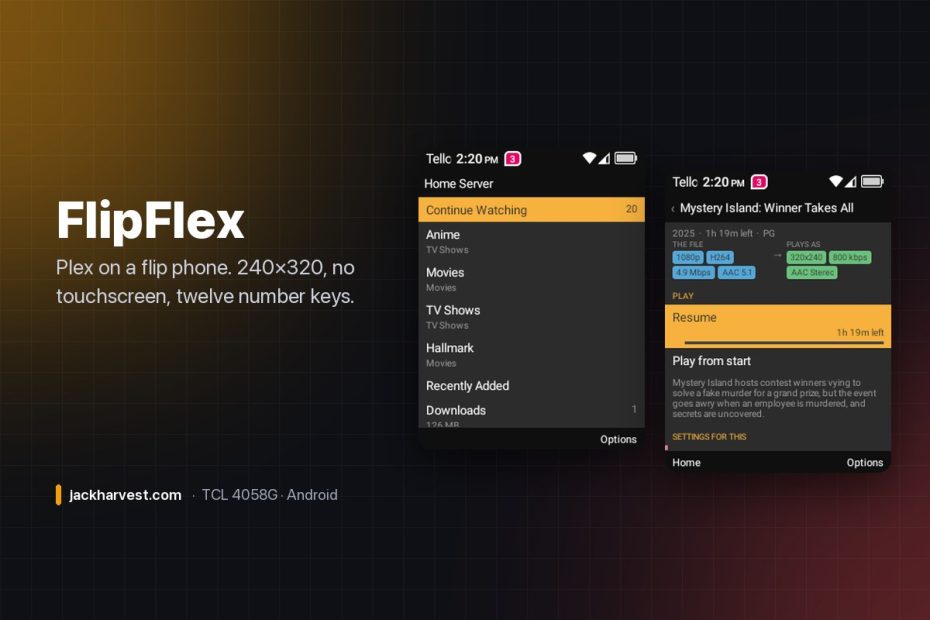
Plex. On a flip phone. 240×320. No touchscreen. Twelve number keys, a D-pad and two soft keys.
The TCL 4058G is the cheap clamshell you buy when you want a phone that is only a phone: a 2.4-inch screen, 916 MB of RAM, a 32-bit MediaTek chip from 2016, and a keypad. It isn’t supposed to run apps at all — TCL patched the package manager so it refuses to install any.
FlipFlex is a Plex client for it. It signs in with plex.tv/link, finds your server, browses your libraries, asks the server to transcode down to 320×240, plays the result on the hardware decoder, reports your position back so the resume point follows you to the TV, and downloads episodes so they play with both radios switched off. It works — not as a demo. It’s what one of these phones does on a train now.

Read this first: your phone has to be modded
FlipFlex cannot be installed on a stock 4058G — not “is awkward to,” cannot. The install block can’t be lifted without root, and the error it throws even lies about why (INSUFFICIENT_STORAGE, with 11 GB free). I wrote the unlock up separately, with every silent failure that cost a day: Unlocking and rooting the TCL 4058G from a Mac. Do that first, then come back.
After that, install is one adb install — and then the phone updates itself. Settings → Help → Check for updates reads the GitHub releases page, downloads the new APK and installs it on the handset. No cable, no computer.
It teaches you the keypad, once
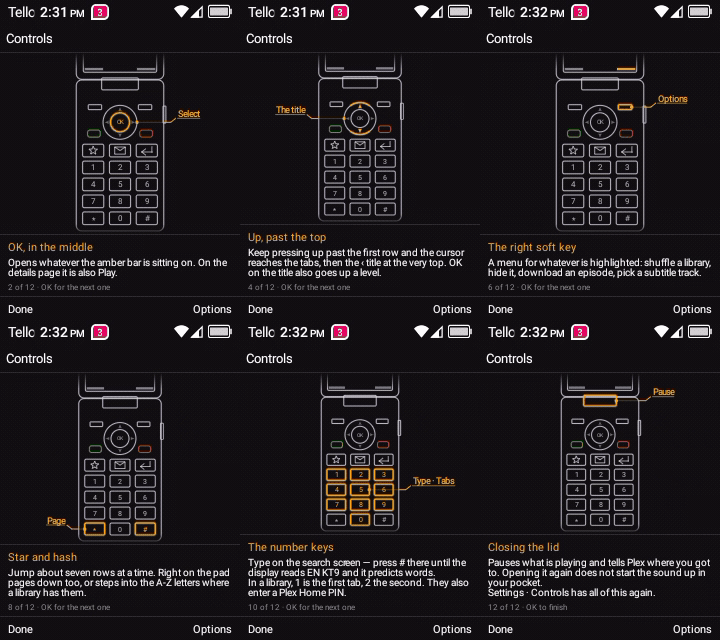
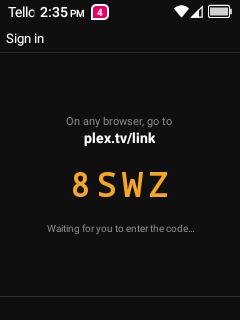
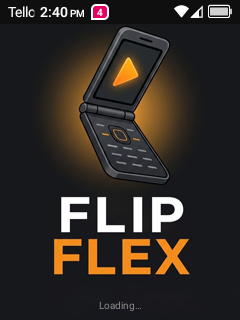
None of this is guessable. Neither soft key is Back. The green call key is Search. Two keys on the top row quit the app and open the stock mail client. So first launch draws the handset and lights one control at a time — twelve steps, before anything else. The phone in that tour is drawn on a canvas rather than a photo, so the keypad gets the space and a key can light up. Signing in is then just four characters typed into plex.tv/link on something with a real keyboard.
Browsing
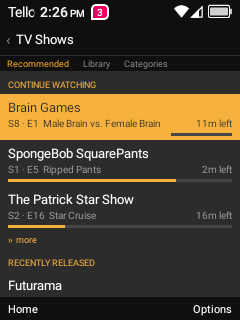
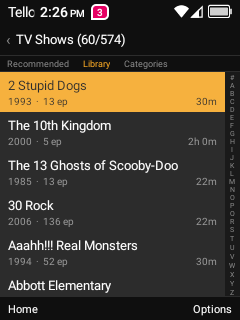
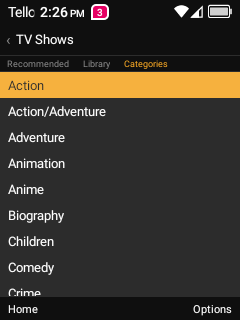
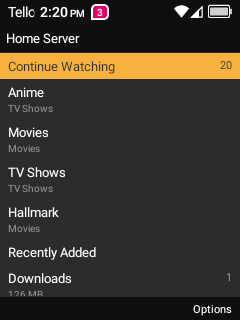
Every library has three views — Recommended, Library and Categories — reachable by pressing 1, 2 or 3, which matters when you’re 400 titles deep in an A–Z of 574 shows. The A–Z rail down the right edge is a jump list, and Continue Watching sits at the top of the home screen, because on a phone that gets opened for four minutes at a time, the shortest path from lid-open to playing is the whole feature.
The details page tells you what’s about to happen
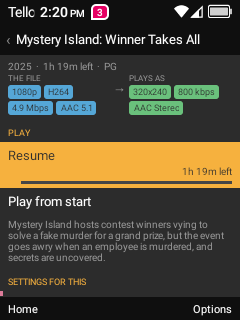
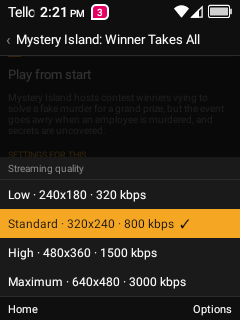
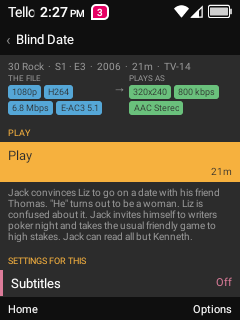
Two columns and an arrow: what the file is (1080p · H264 · 4.9 Mbps · AAC 5.1) and what will actually reach the screen (320×240 · 800 kbps · AAC Stereo). The colors mean the same thing everywhere in the app — blue is the file, green is what gets decoded here, violet is storage on the phone, rose is subtitles. Subtitles are burned in, because ExoPlayer can’t draw the picture subtitles a Blu-ray rip carries.
Playing
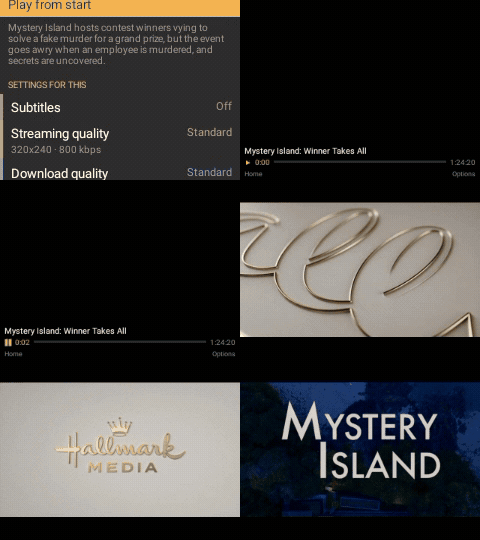
The player is landscape — worth 1.8× the picture on a 320×240 panel — and specifically reverse landscape by default, for a reason no spec sheet contains: the normal way up puts the power button and headphone jack along the bottom, so a phone with anything plugged in can’t stand on a table. Closing the lid pauses and posts your position to Plex. Opening it again deliberately does not resume, because a media app that starts making noise when you open your phone in a meeting is a liability.
Search is the green key
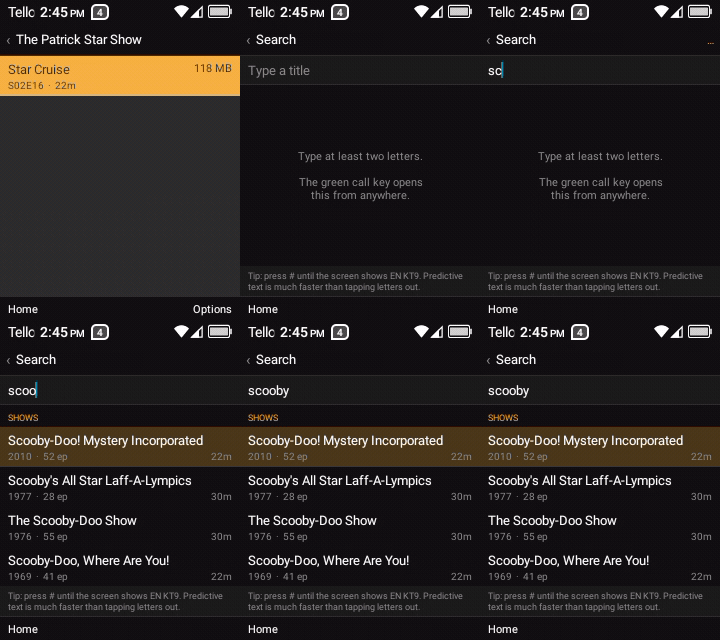
The call button is the one genuinely spare hardware key on the phone, and FlipFlex catches it before the dialer can, from every screen except the player.
Downloads, and then airplane mode
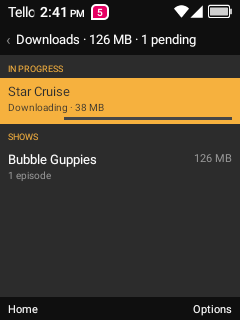
Pick Download on any episode and it’s fetched by a foreground service that survives the lid being shut. Downloads default to Wi-Fi only and start themselves when Wi-Fi comes back. Then turn everything off: cold-start the app with no signal and you get your downloads library, your login intact, and files that play off local storage on the hardware decoder.
Things that turned out to be interesting
- Downloaded files couldn’t be seeked, and Plex wouldn’t fix it. The file is muxed live, so it arrives with no Cues element — the only thing ExoPlayer builds a seek map from. So FlipFlex writes the index itself: one linear walk, a cue point every five seconds, spliced in ahead of the first cluster.
- Plex’s built-in Android profile can’t ask for a single file. The same request as
Chromereturns 49 MB of Matroska. So streaming stays honest as Android, and downloads claim to be Chrome. - A paused transcode gets reaped, and the failure arrives minutes later — playback resumes perfectly off the leftover segments, then dies on the first one that was never written.
optStringcan’t be used on Plex JSON. For an explicitnullit returns the four-character string"null"— which got stored as the account token.
Putting it in the phone’s own Menu
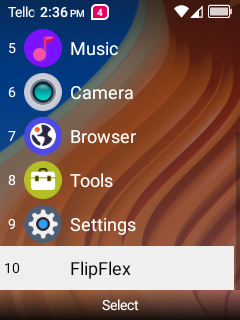
A sideloaded app doesn’t appear in the 4058G’s Menu no matter how correct its manifest is — TCL’s launcher walks a hardcoded list of package names. An optional Magisk overlay adds one entry to that list, which is what puts FlipFlex at item 10, next to Settings and Tools, so the phone treats it like something that came with it.
FlipFlex is a sibling of PocketFlex (the same job on a Miyoo Mini Plus) and has a Jellyfin twin, FlipFin. Credit to neutronscott/flip2, Magisk, mtkclient and Media3/ExoPlayer. Not affiliated with Plex or TCL. MIT licensed.
Free and open source, and it’s staying that way. If it saved you some time, you can buy me a coffee.