
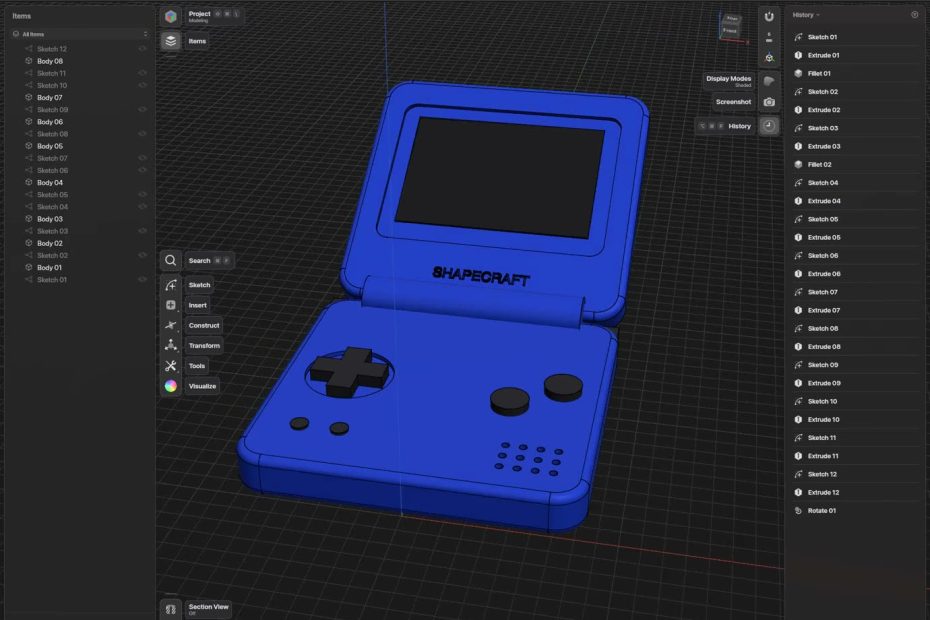
Updated November 21, 2026: ShapeCraft 0.11 adds plugins, and the first one, Generative Render, puts your model in any scene with your own AI (or free on your own computer). Android phones and tablets, the iPhone Duo with the whole modeler, a viewer on other iPhones, Windows on Arm, .deb and .rpm packages and threads came just before. Everything below is current.
I’ve been an applications engineer for more than twelve years, and a lot of those years were spent in CAD. The tools I like best are the direct modelers: draw a shape, grab a face, pull it. No feature tree to babysit and no dialog for every move. The catch is that they’re all subscriptions now, most of them want an account and a cloud, and Linux usually isn’t invited.
So I built one. ShapeCraft is a free, open-source direct-modeling CAD app for macOS, Windows, Linux, iPhone and Android. Your projects stay on your computer. There’s no account, no seats, no limits, and it opens the files you already have. It’s an alpha, but it’s real: I’ve been designing actual parts with it.
Sketch it, pull it, round it off
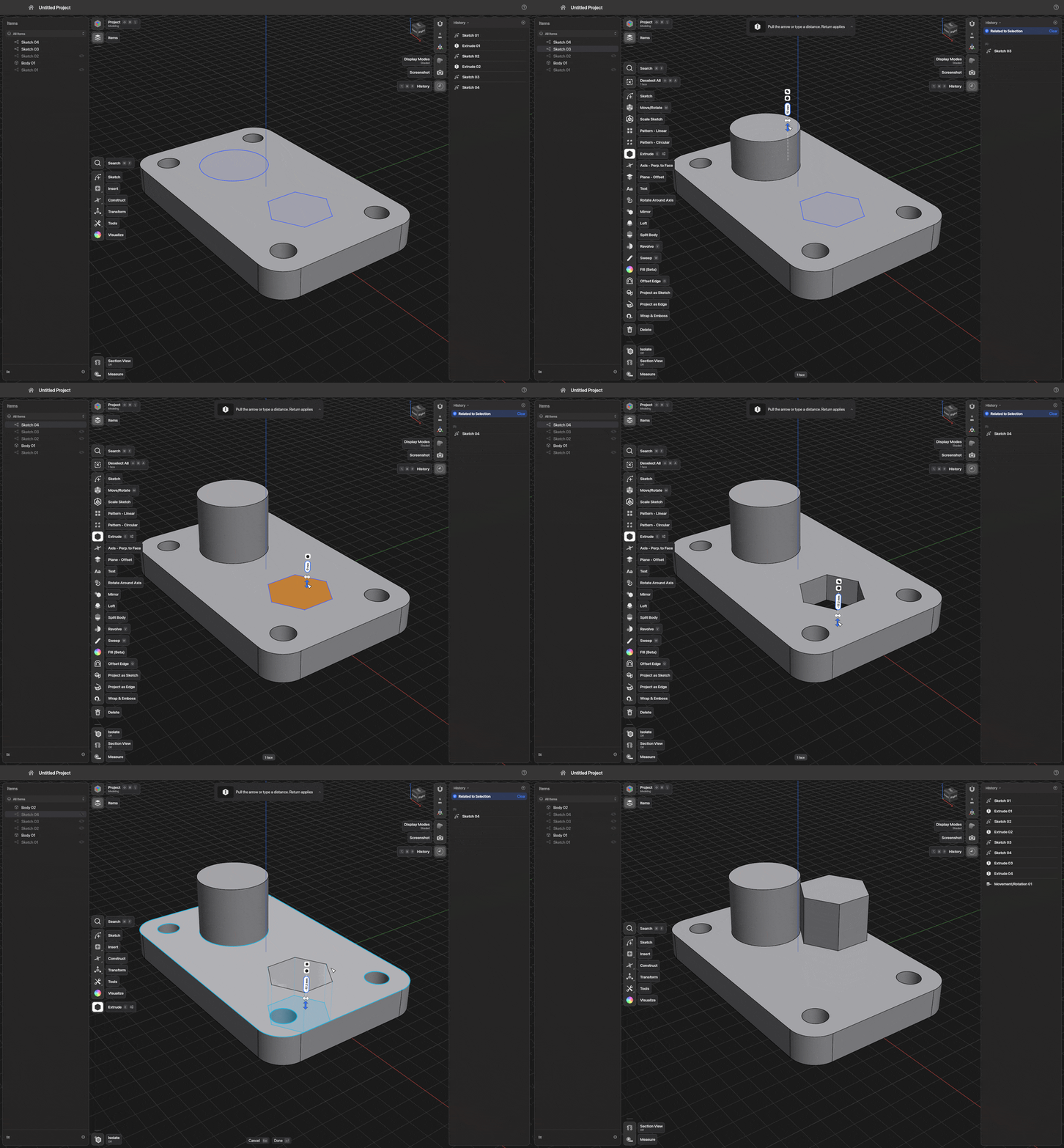
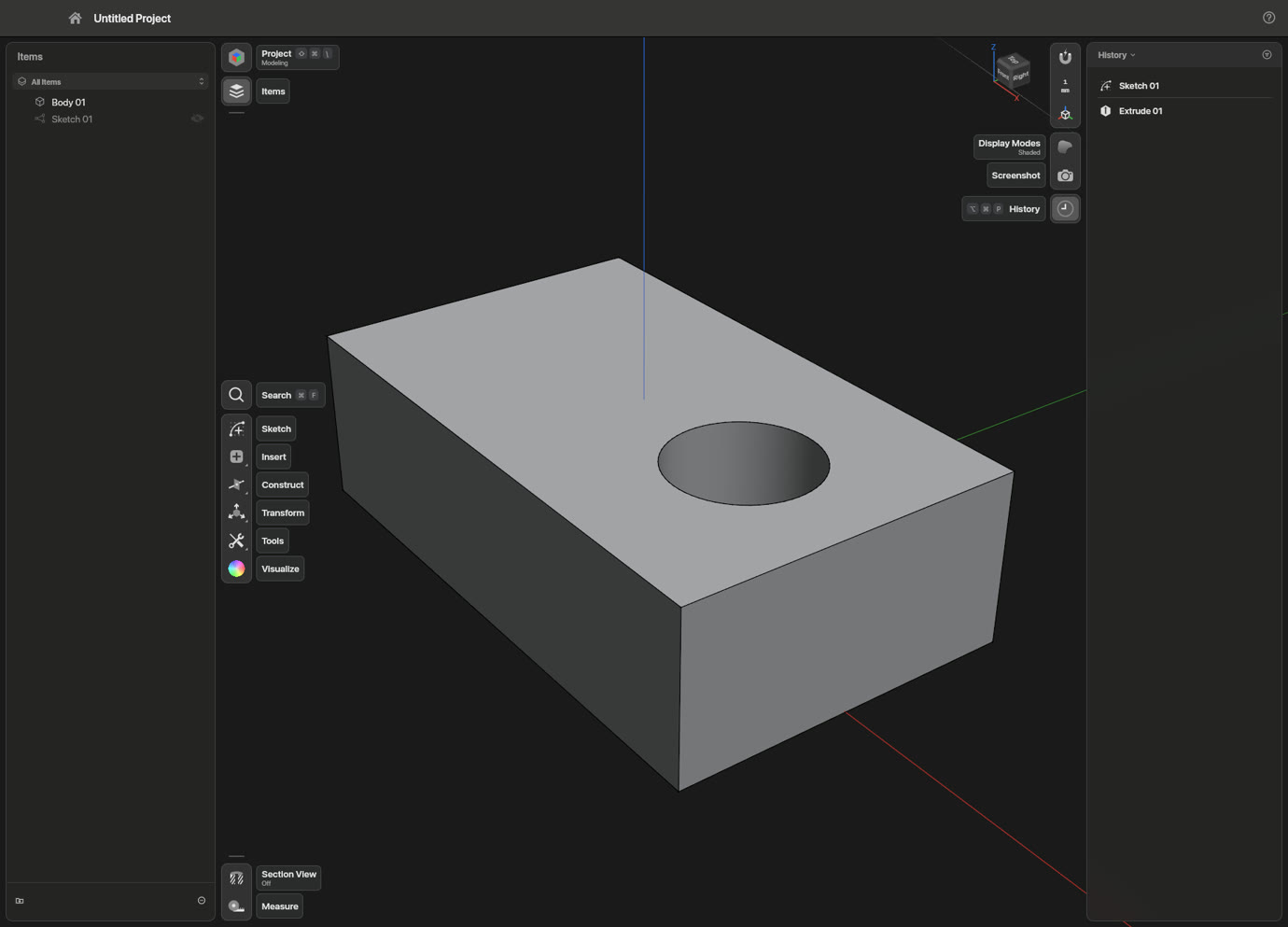
Draw a profile, and type a size whenever you like: you never have to stop and open a box for it. Then push and pull faces until the part looks right. Fillets, chamfers, shells, booleans, patterns and the rest are all where your hands expect them, with a small card on the canvas holding every setting.
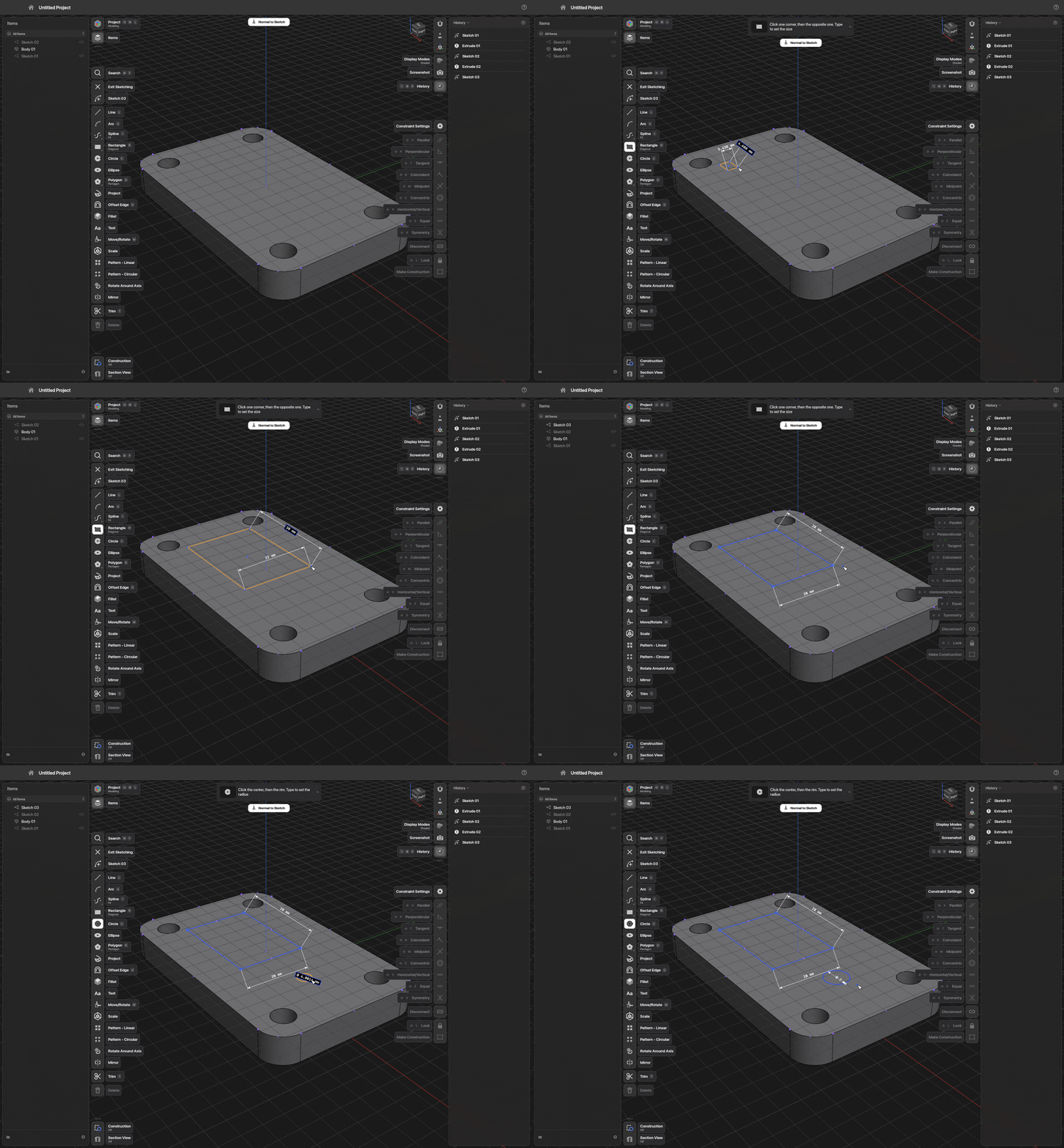
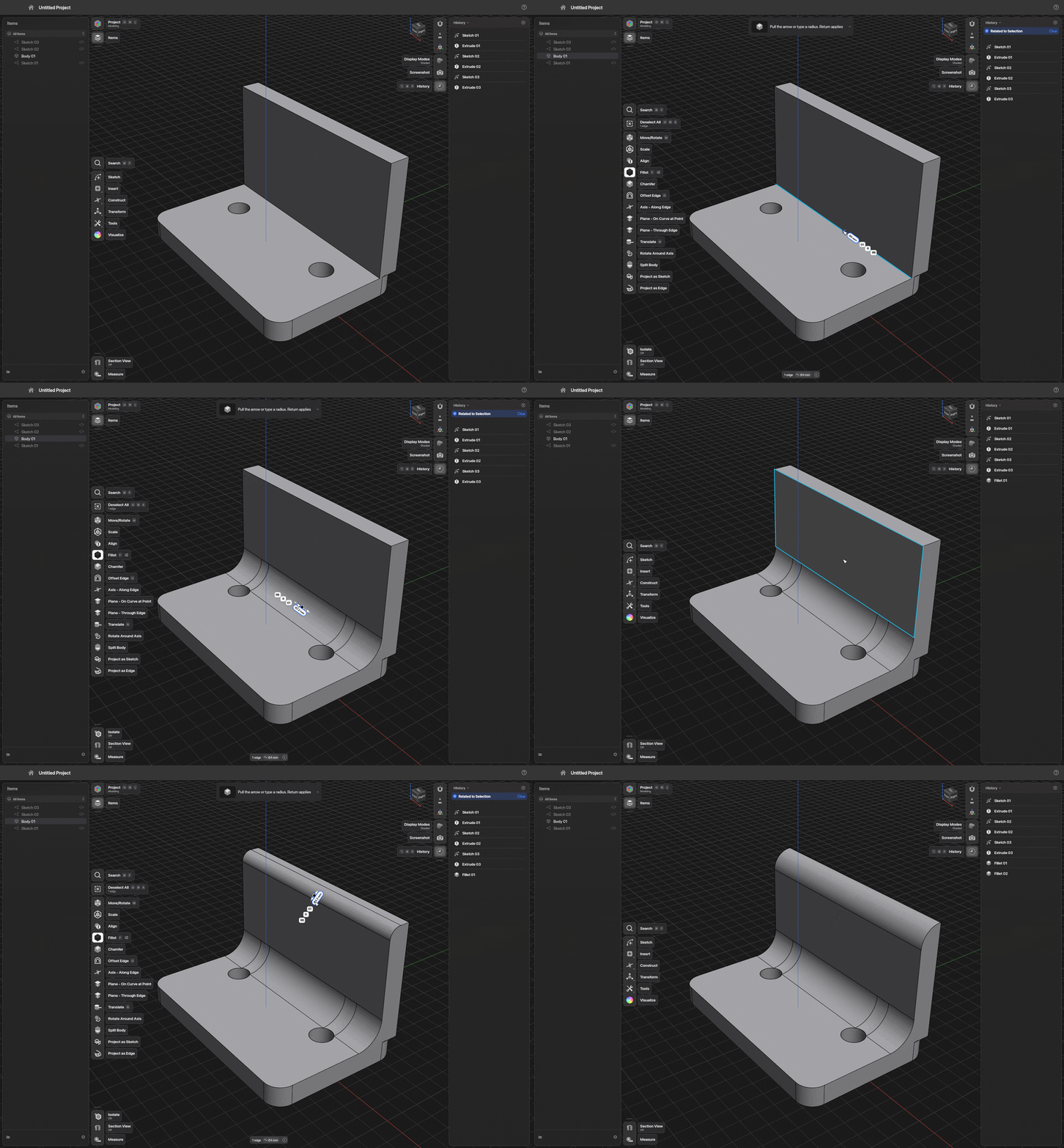
- Sketching: lines, arcs, splines, rectangles, circles, polygons and text, with snapping, constraints and driving dimensions.
- Modeling: extrude, revolve, sweep, loft, fillet, chamfer, shell, offset face, booleans, split, mirror, patterns, move and rotate with linked copies, wrap and emboss, and threads (ISO metric, inch and ACME) with a clearance setting so 3D-printed bolts and nuts fit.
- Looking at it: materials you drag onto bodies, display modes and section views, in light or dark, in eleven languages.
Nothing gets locked in
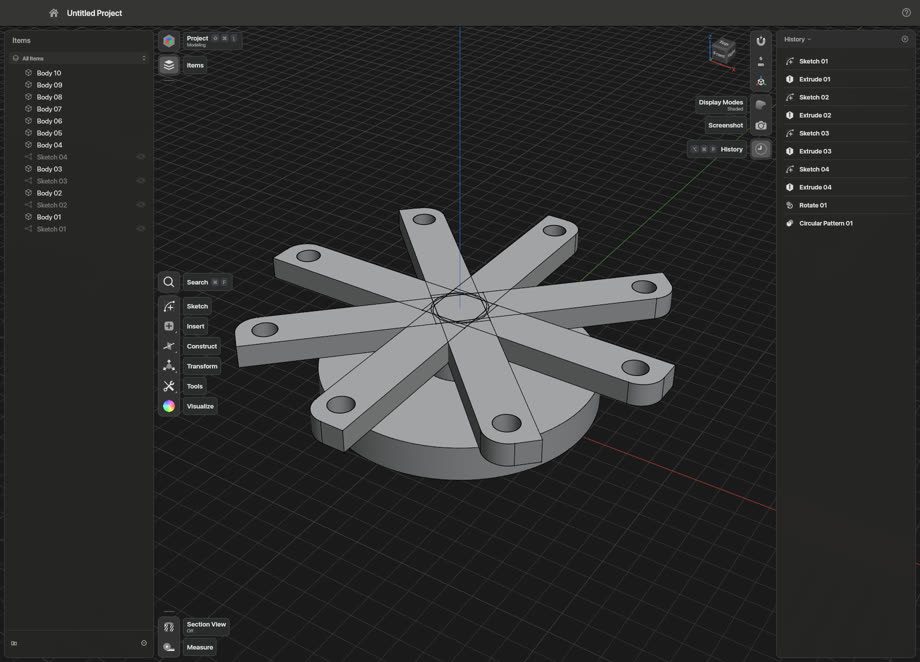
Direct modeling usually means giving up the history. Not here. Every step stays in the History list, and every one of them can be opened again. Change a number and the part rebuilds. Pattern an arm around a hub, go back and rotate the original, and every copy swings with it.
It opens what you already have
STEP, IGES, Parasolid XT, STL, 3MF, OBJ and .shapr projects all open and save. DXF and SVG come in as sketches. Drawings go out as PDF, SVG, DXF or DWG. Projects are plain folders on your disk (a small JSON file plus a STEP file), so you’re never stuck with ShapeCraft just to get your own work back.
It keeps itself up to date
I can’t stand apps that make you go hunting on a website for the next version, so ShapeCraft doesn’t. It checks for a new version when it starts and once a day, downloads it quietly in the background, and checks it against the release’s published checksums. A small note in the corner tells you when it’s ready. When you close the app it asks whether to install it then and there (or you can tell it to just always do that), and it saves your work first. The only thing it ever contacts on its own is its own release page on GitHub, and nothing about you or your projects is sent.
Learn it in about seven minutes
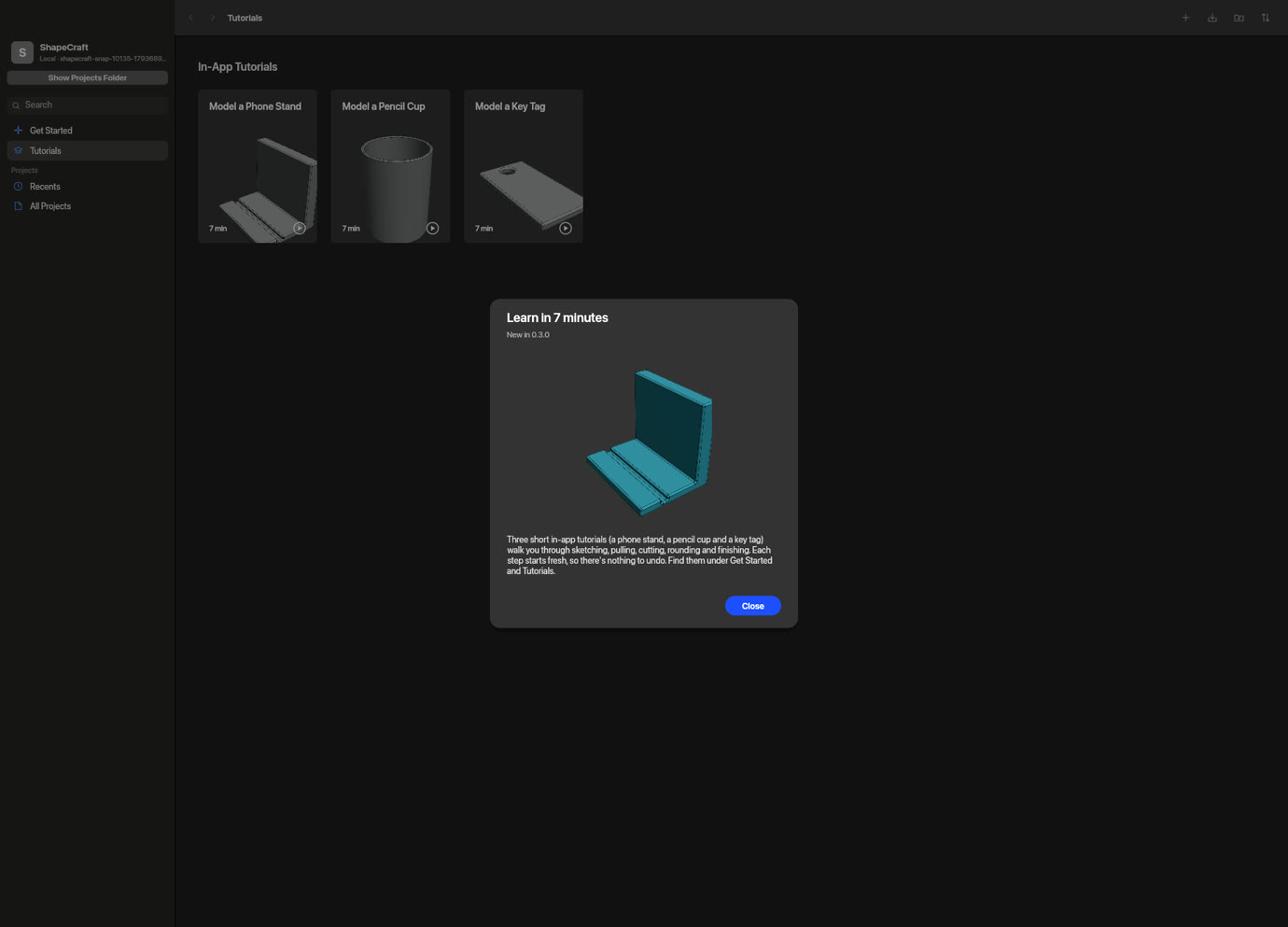
Three short tutorials are built in: a phone stand, a pencil cup and a key tag. Each step starts from a fresh scene, shows only the tools it needs, and lights up Continue when you’ve got it. They’re the fastest way to see how it all hangs together.
Your model in any scene (an optional plugin)
ShapeCraft doesn’t come with AI built in, and it never will. What it has now is plugins: optional add-ons you choose in Preferences ▸ Plugins, that show you exactly what they may do before you add them, run sealed off from your files, and switch off or uninstall any time. Everyone who doesn’t want them keeps a lean app.
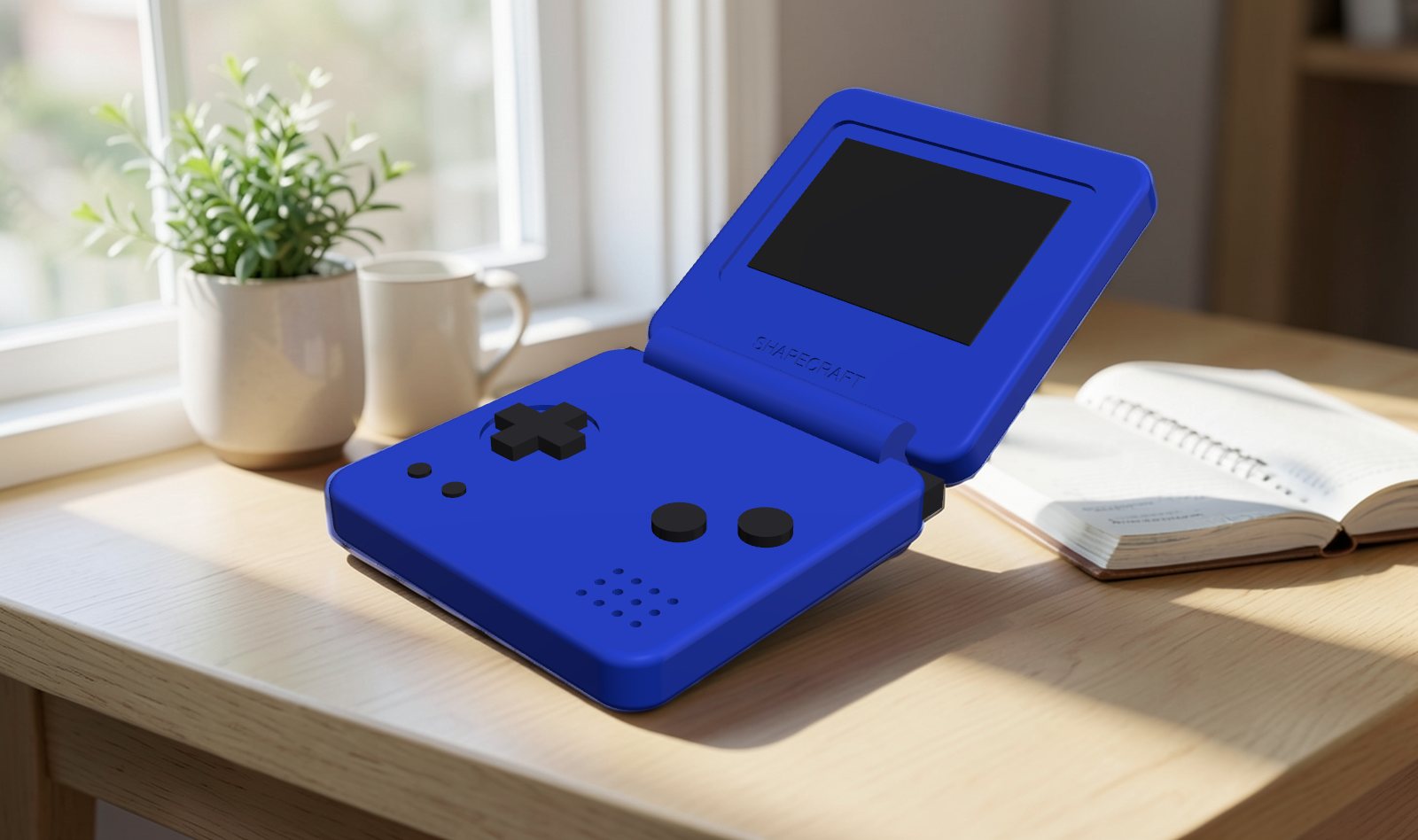
The first one is Generative Render. Describe a scene, the light and the mood, and it paints the world around the view you’re looking at. Keep It Exact keeps every pixel of your model, so the shape you designed is the shape in the picture. It uses the AI you already have: sign in with OpenRouter, paste an OpenAI or Google Gemini key, or run it free and offline on your own computer with ComfyUI. No account anywhere? It can hand your view to ChatGPT, Gemini, Copilot, Grok or Meta AI on their free plans. Every picture is kept in History with the words that made it.
There are no credits and no monthly cap of mine: you can make as many as your provider or your graphics card allows. Your view and your words go only to the service you picked, never to me. And if an AI assistant is driving ShapeCraft for you, anything that costs money waits for you to press Allow.
For the tinkerers: scripts and AI agents
Every menu item, tool and key in ShapeCraft is a command, and the same commands are reachable from a command-line tool, a JSON control channel and a built-in MCP server. That means an AI assistant can model alongside you while you watch, or a script can build and render parts with no window at all.
Getting started
- Grab the download for your computer from the ShapeCraft page: a disk image for Apple silicon or Intel Macs, an installer or portable zip for Windows (x64 or Arm), an AppImage, .deb, .rpm or tarball for Linux, an .ipa to sideload on iPhone with your own Apple account (the full modeler on an iPhone Duo, a viewer on other iPhones), and an .apk for Android 8.0 or newer. Everything it needs is inside.
- First launch: the builds aren’t signed yet, so your computer asks once. On a Mac, open System Settings → Privacy & Security and click Open Anyway. On Windows, choose More info → Run anyway. On Linux, allow the AppImage to run as a program. On Android, let your browser or Files install apps when it asks.
- Start a new project, or open a STEP file you already have, and try one of the tutorials.
How it’s made
I’ll be upfront about this: ShapeCraft is one applications engineer working with AI coding agents. The agents write a lot of the code. I decide what gets built and how it should behave, and I check that it’s right: by hand on real parts, with automated tests, and on all three operating systems. It’s written in Rust, and the geometry runs on Open CASCADE, the open-source kernel behind a lot of serious CAD software.
Known gaps
- It’s an alpha. Keep copies of anything important, and check anything you’re going to manufacture.
- The downloads aren’t code-signed yet, hence the one-time warning on first launch.
- iPhone and Android come with every release now; on iPhones other than the Duo it’s a viewer, as phone screens are too small to model on. A layout made for iPad, a browser version and a one-line Proxmox container install are still in the works. What people tell me decides what comes first.
Found a bug or want something added? Open an issue on GitHub; that’s where I read everything.
ShapeCraft is MIT or Apache-2.0, your pick. Open CASCADE is LGPL-2.1 with its exception and ships alongside it. ShapeCraft is independent: it isn’t affiliated with, sponsored by or endorsed by Shapr3D or any other CAD vendor, and the .shapr format is named only because ShapeCraft can open and save it.
Free and open source, and it’s staying that way. If it saves you a subscription, you can buy me a coffee and help me prove my wife wrong about how much time I spend on this.
Sketch it, pull it, print it. That’s the whole idea.