 MARQUEE
A launcher that actually launches things.
No mystery meat. Here's exactly what Marquee does, screenshot by screenshot.
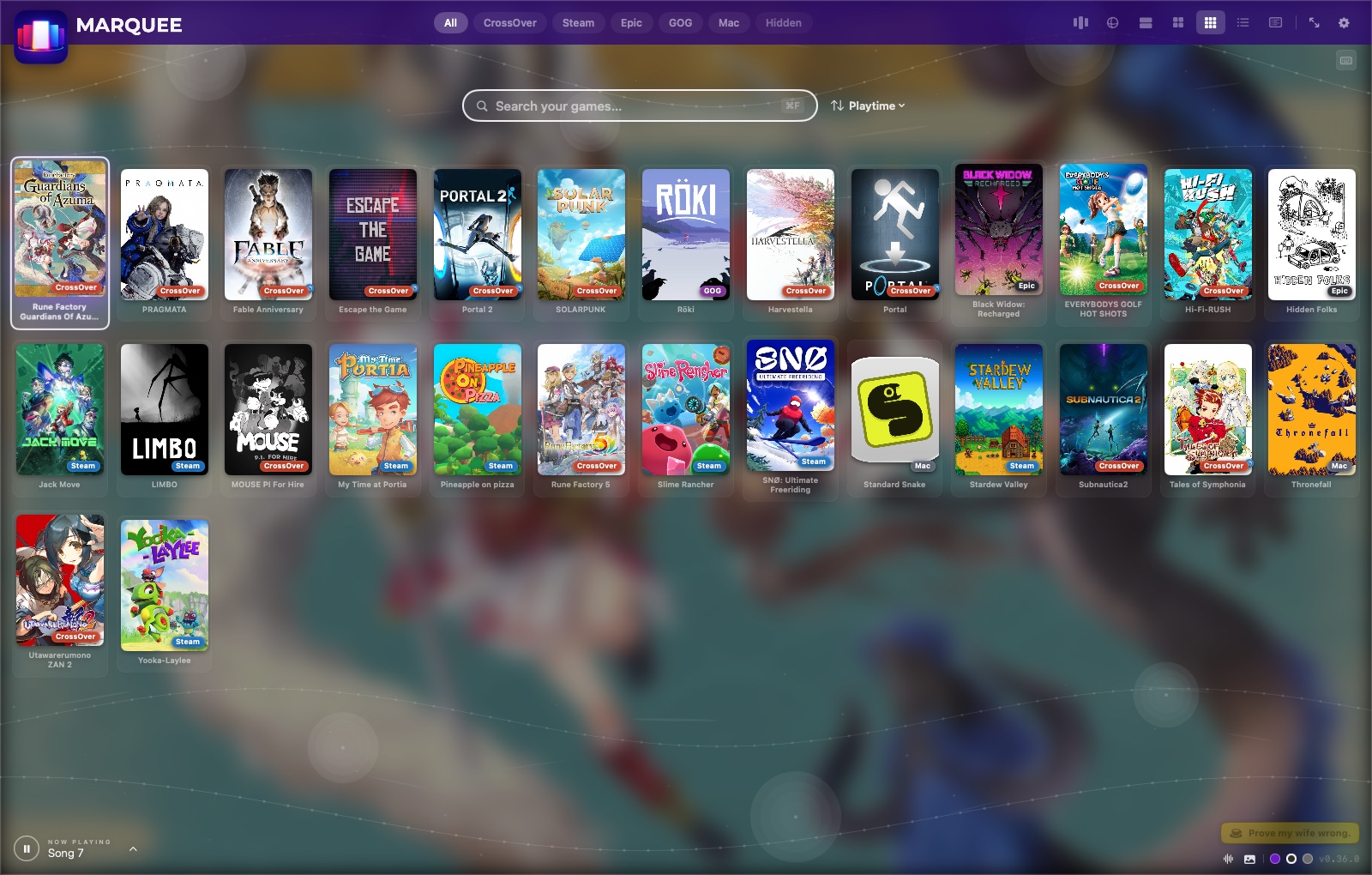
Marquee finds your games. You don't go find them.
Four scanners run on launch and merge into one deduplicated list — no manual entry, no "add game" dialog, no maintaining a spreadsheet of install paths.
- CrossOver — Start Menu shortcuts, cxmenu.conf, and a raw-folder fallback for anything that slipped through without a shortcut
- Steam — reads your real .acf manifests directly
- Epic Games & GOG — native macOS installs, icons extracted automatically
- Native Mac apps — anything in /Applications tagged as a game, with launchers filtered out
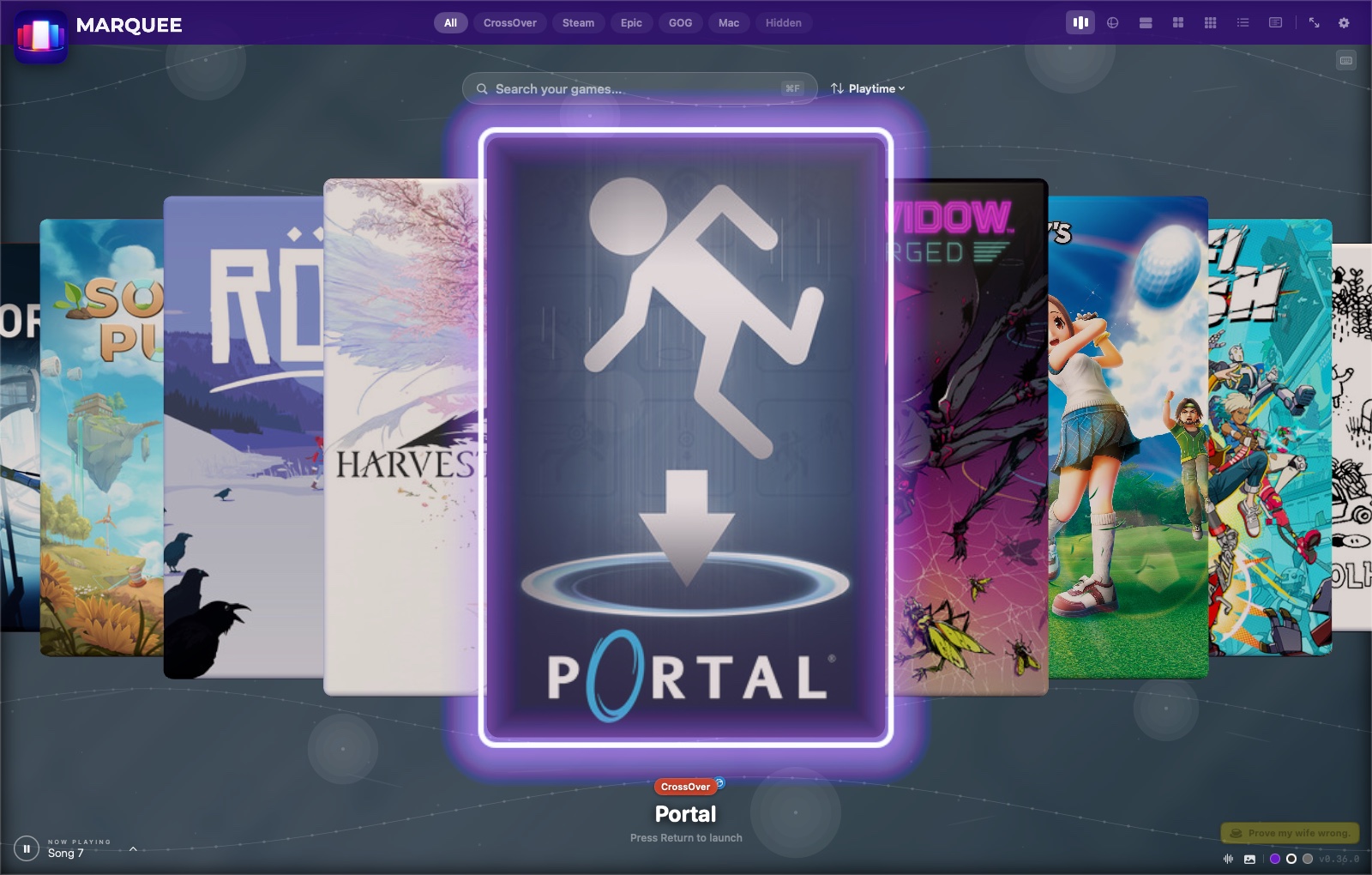
Browse however you actually browse.
Switch instantly with ⌘1–7, the top bar, or a controller. Your filters, search, and sort carry across every one.
| View | Best for | What's distinct |
|---|---|---|
| Carousel | Browsing, ambience | Full 3D coverflow, spring physics, dynamic hero backdrop pulled from the selected game |
| Rainbow Slide | That Wii Menu feeling | A continuous wheel of covers rolling past the camera, Wii Menu-style |
| Big | A middle ground | Roughly two poster rows — denser than Carousel, bigger than Grid |
| Grid | Scanning a large library fast | Dense adaptive poster wall, source badges on every tile |
| Wall | Titles you don't recognize by cover alone | Card tiles with always-visible names |
| List | Deciding what to play tonight | Master/detail split with a live spinning 3D box and full metadata |
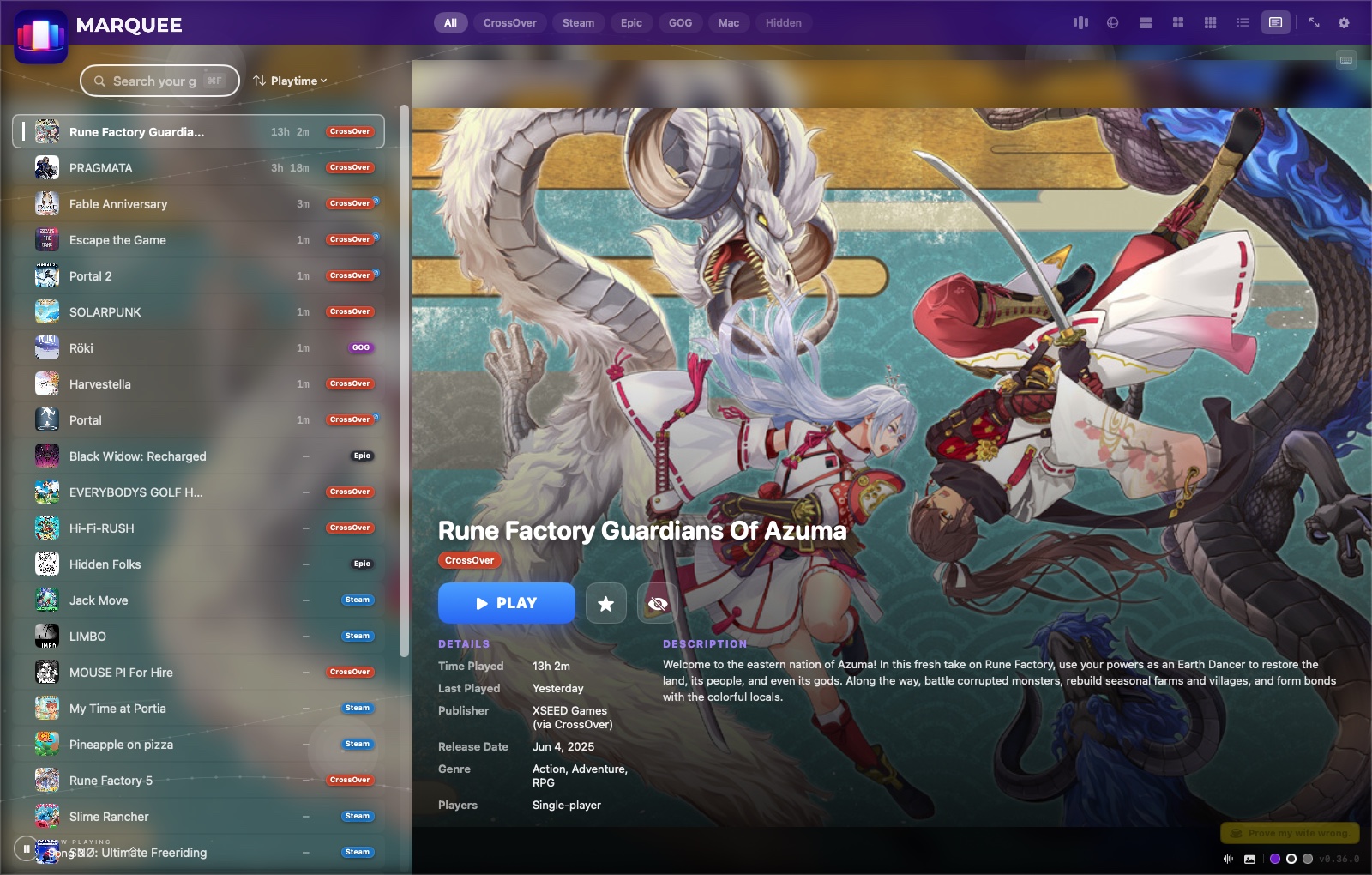
| Compact List | Playnite-style dense browsing | Flat rows (icon/title/playtime/badge) with full-bleed hero art in the detail panel |
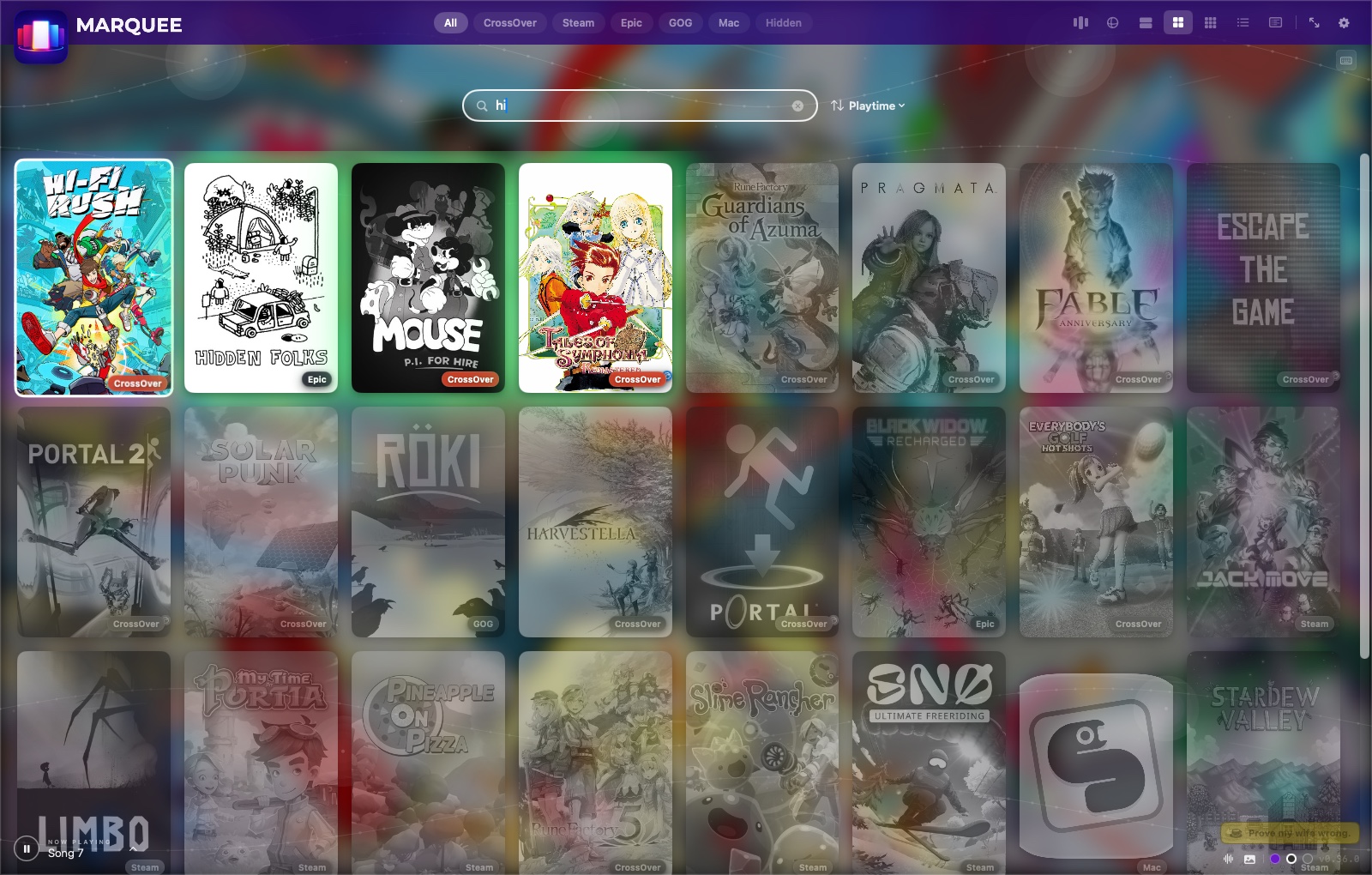
Type two letters, watch the shelf reorganize.
Every view — including the 3D carousel — greys out non-matches and slides the best result to the front as you type. Ranking favors exact and prefix matches first, then falls back to fuzzy in-order matching so typos still land somewhere useful.
- A–Z, Z–A, Most Played, Playtime, Last Played, Date Installed, Platform
- Favorites float to the top of every filter, automatically
- ⌘F jumps to search from anywhere in the app
Press Play, and Marquee disappears.
The music fades out over two seconds, the window minimizes to the Dock, and the moment your game's window appears, Marquee makes sure it — not Finder — has focus, so a borderless fullscreen game actually looks fullscreen. When you quit, everything restores exactly where it left off.
- Works across CrossOver, Steam, Epic, GOG, and native launches
- Real playtime accumulates from confirmed process start to exit
- Music resumes exactly where it faded out, not from the top
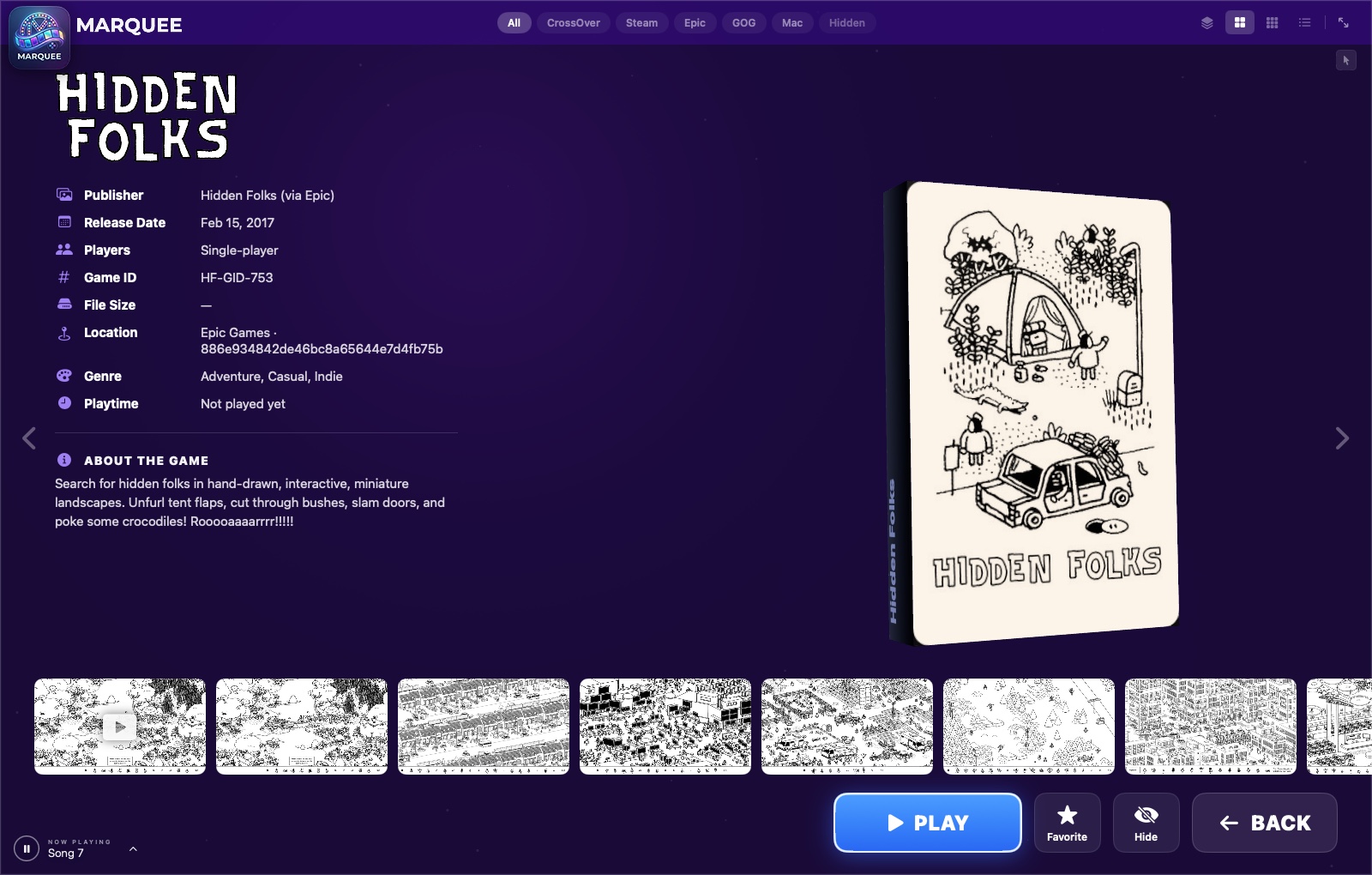
Playnite-style density, with full-bleed hero art.
A dense flat row list — icon, title, playtime, source badge — paired with a detail panel that fills itself with the game's own hero art instead of a plain background.
- The tightest row density of any view mode
- Hero art preloaded across the visible list — no flash on selection
- ⌘7, or the panel icon in the top bar
The small things that add up.
Favorites & hidden
Star what you love, hide what you're not ready to uninstall. Both persist and reorder every view.
Fix Cover / Banner Art
Wrong cover? Right-click, search Steam or the web, or upload your own file. It sticks — cached locally, forever.
Three themes
Outerspace (animated purple nebula), Jet Black, and Soft Grey — plus a light mode for this website that has nothing to do with your actual library, but felt right anyway.
Startup preferences
Pin your default view, source filter, sort order, accent color, and startup song — Marquee opens exactly how you left it.
Weighted shuffle
Eleven bundled tracks with per-track weight sliders — turn any song off, pin a favorite, or let it roll the dice on startup.
Full input support
Keyboard, mouse, WASD, and game controllers all drive the exact same navigation — nothing is mouse-only or keyboard-only.
Custom library
Drag any app or Windows exe onto the window and it joins your shelf — Plex, emulators, anything the built-in scanners can't know about. Remove it just as easily.
Couch Mode
Launch at login, boot straight into full screen, and control everything from a console-style pause menu — a Mac mini under the TV never needs a keyboard again.
Self-updating
Checks its own GitHub releases and can download, install, and relaunch in place — from the app menu, Settings, or the pause menu.
Alright, you've seen it. Go get it.
Free. Open source. No account wall between you and your own games.
Download Marquee for macOS